
The question owners ask me most, usually in the first five minutes of a conversation about AI, is some version of "will this replace my people?" Sometimes it's asked with worry, because they like their team. Sometimes it's asked with hope, because payroll is their biggest cost.
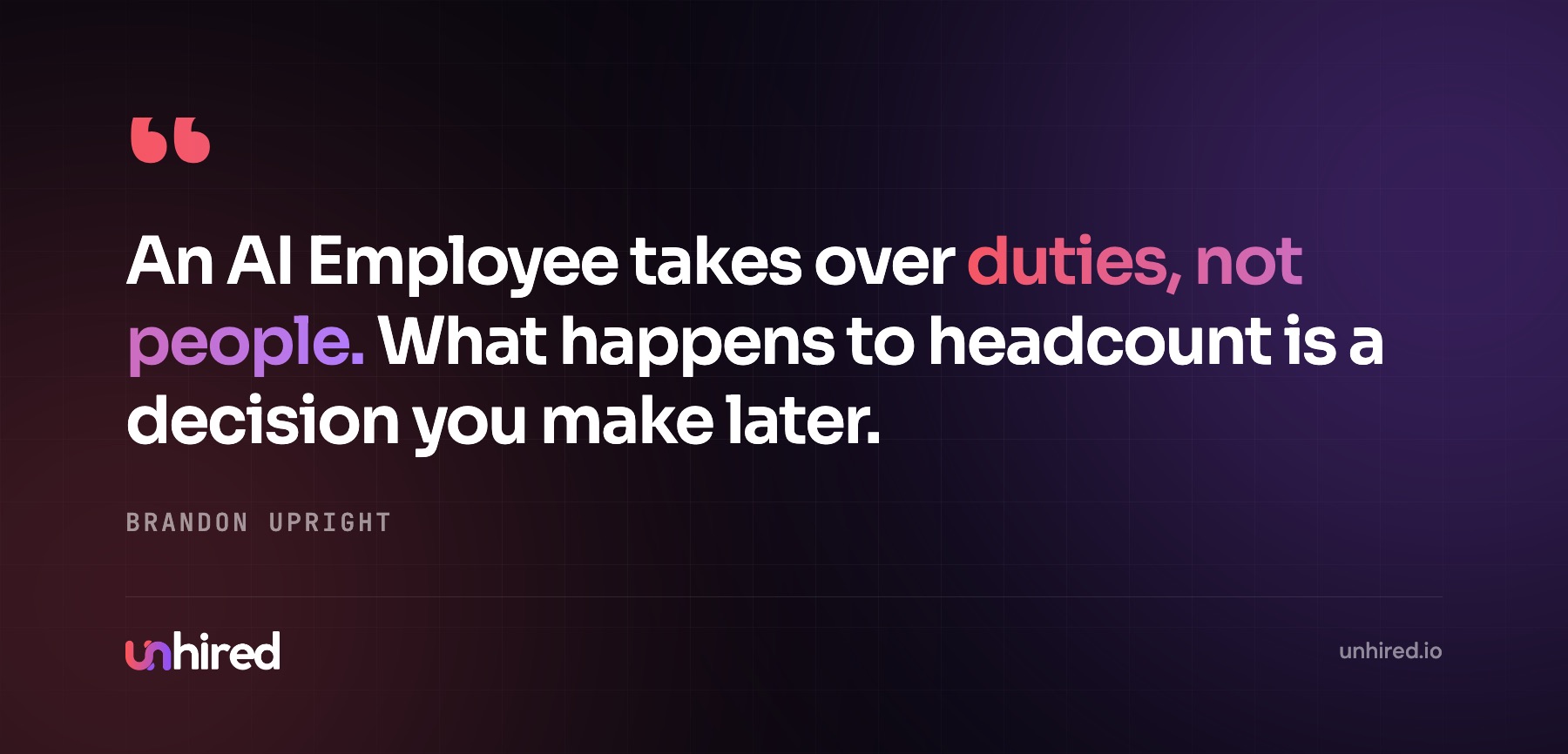
I've spent the last four years building AI systems and agents for businesses, and I give both kinds of owner the same answer. An AI Employee takes over duties, not people. Nearly every job in a small business is a bundle of different kinds of work, and only some of that bundle moves to software. What happens to headcount after that is a decision the owner makes, usually months later, and usually when someone leaves.
A job is a bundle of duties
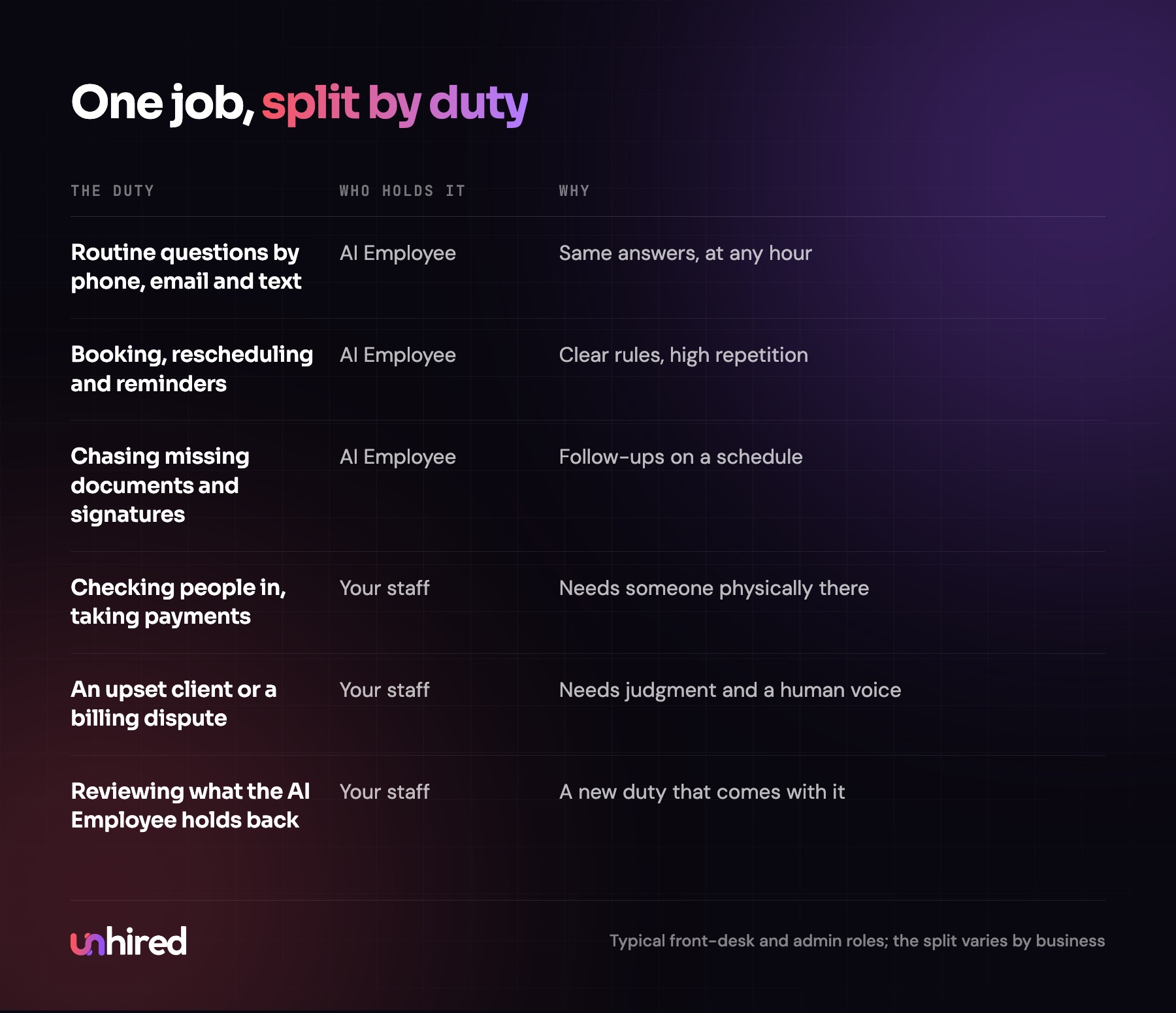
Take a dental clinic's front desk. The person in that seat answers the phone, books and reschedules appointments, sends reminders, answers the same questions about insurance and parking, checks patients in, takes payments, calms down a nervous patient and sorts out a billing mix-up with someone who's upset.
The first four are repeatable work between the phone line and the practice management system. An AI Employee can hold those with written rules. The last four happen at the counter or need a person's judgment, and they stay with the person.
The same split shows up everywhere I look. A law firm's legal assistant does intake forms and document chasing, and also sits with a client who just got bad news. A property manager's coordinator logs maintenance requests at 10 pm and also walks a unit with a contractor. An online store's support person answers "where's my order?" two hundred times a week and also handles the wholesale buyer who wants to negotiate.
So when an owner asks whether an AI Employee will replace someone, the useful question is which of that person's duties it would take, and how many hours a week those duties fill.
What an AI Employee takes over
It takes the work that repeats, follows rules you could write down, and runs through software. In most offices that means:
- Answering routine questions by phone, email, text and web chat
- Booking, rescheduling and confirming appointments
- Replying to new leads in the first few minutes and booking the call
- Chasing clients and vendors for missing documents and signatures
- Copying details from forms and emails into the systems the business runs on
- Building the weekly reports somebody currently puts together by hand
It does that work at any hour and at the same quality on a Sunday night as on a Tuesday morning. Anything outside its rules goes back to a person, with the details attached.
What stays with your staff
Anything physical, anything in the room with a customer, and anything that needs judgment with no written rule behind it. Relationships stay too: the long-time client who calls because they trust a specific person, the tenant in a dispute with a neighbour, the patient who wants a human voice.
There's also a layer of work that only exists once an AI Employee is running. Someone has to review what it holds for approval and update its rules whenever prices or policies change. That job goes to someone on your current team, usually the person who used to do the duties by hand, because they know when an answer looks wrong. I went through the full list of limits in what an AI Employee can't do.
What the numbers say about AI and jobs
The big forecasts point to change more than disappearance. The World Economic Forum's Future of Jobs Report 2025, based on a survey of more than 1,000 large employers, expects about 170 million jobs to be created and 92 million displaced worldwide by 2030, a net gain of about 78 million.
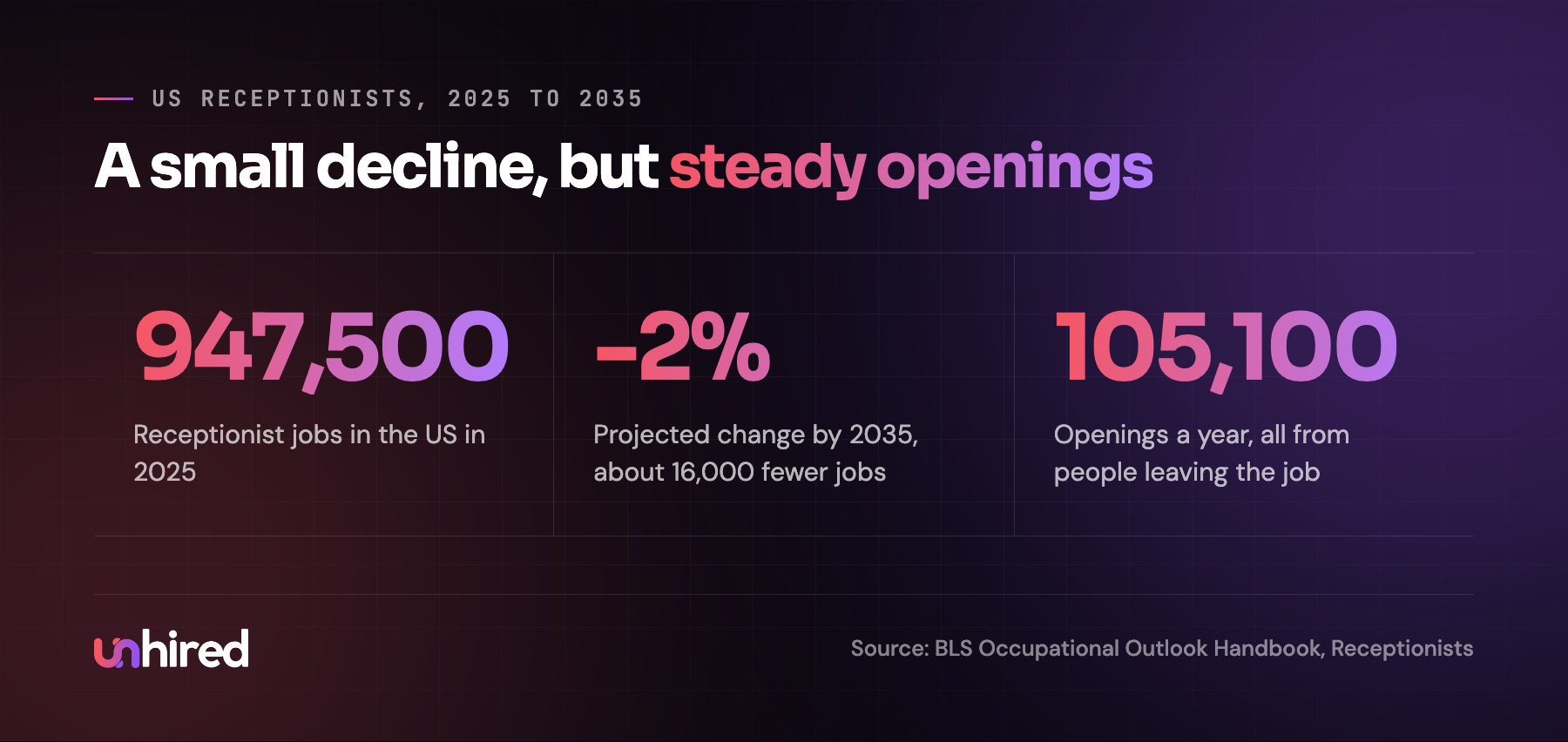
Closer to a small office, the Bureau of Labor Statistics projects US receptionist employment to fall 2% from 2025 to 2035, about 16,000 fewer jobs out of 947,500, and names automation of administrative work as a reason. In the same projection it still expects about 105,100 openings a year, every one of them from people moving to other jobs or leaving the workforce.
That last number is the one I'd pay attention to. Front-desk and admin seats empty out on their own, regularly. That's where most of the headcount change from AI Employees happens.
When it does mean fewer hires
I'd rather be straight about this than pretend it never happens. An AI Employee can mean a smaller team than you'd otherwise have, in three common ways.
The first is a seat that opens through turnover. Your receptionist moves on, and instead of posting the job, you look at which of their duties an AI Employee could hold and whether the rest fits with someone already on the team. The second is growth without a hire: a property manager takes on another 80 units, or a clinic adds a second practitioner, and the admin load grows without a new posting. The third, and the least common in the businesses I see, is a role that was almost entirely repeatable system work to begin with, like a full-time data entry position.
Layoffs to make room for software are rarer than the headlines suggest, partly because a small business usually can't spare the person. Someone still has to run the counter and handle the exceptions the AI Employee hands back.
How the cost compares
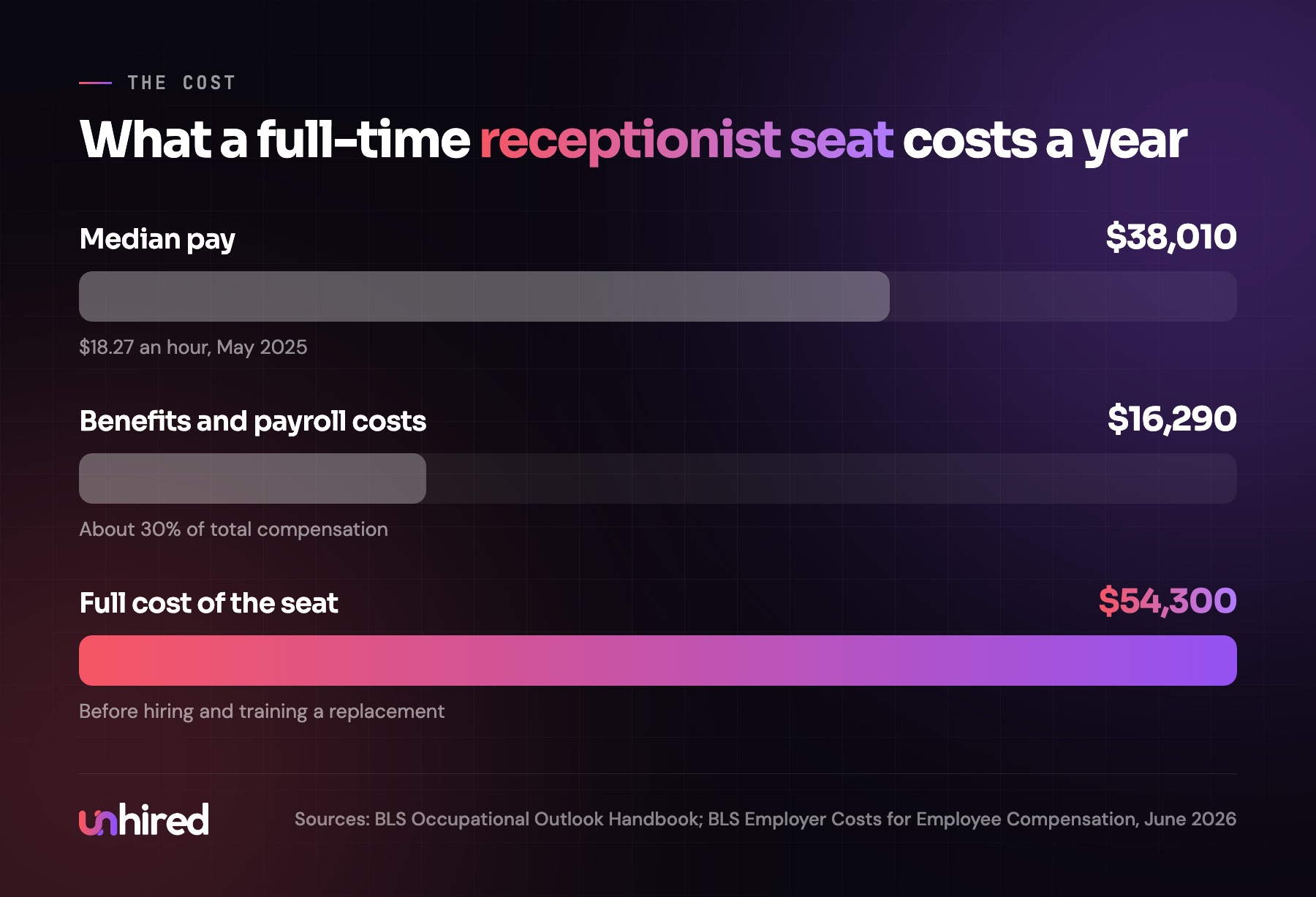
The US median wage for receptionists was $18.27 an hour in May 2025, or $38,010 a year, according to the BLS. Wages are about 70% of what private employers spend per hour worked, with benefits making up the other 30%, per the BLS Employer Costs for Employee Compensation for June 2026. That puts the full seat at roughly $54,300 a year, before the cost of hiring and training a replacement each time someone leaves.
An AI Employee is priced one of two ways. You can assemble it from software subscriptions, an AI agent platform plus connections to your phone, email, booking system and CRM, and have someone on staff design, test and maintain it. Or a provider builds and maintains it for a monthly fee, sometimes with a setup fee. The price depends on how many conversations and tasks it handles, how many systems it logs into and how much maintenance is included. I covered the pricing models in how much an AI Employee costs.
The fair comparison is duty by duty. If an AI Employee takes 25 hours a week of booking and phone work off a receptionist, the payroll stays the same and those 25 hours go to the counter and the patients. The comparison with a full seat's cost only applies when the seat is already empty.
How to tell your team
This is the part owners get wrong most often, usually by saying nothing. Staff notice when someone starts documenting their job, and silence gets filled with the worst guess.
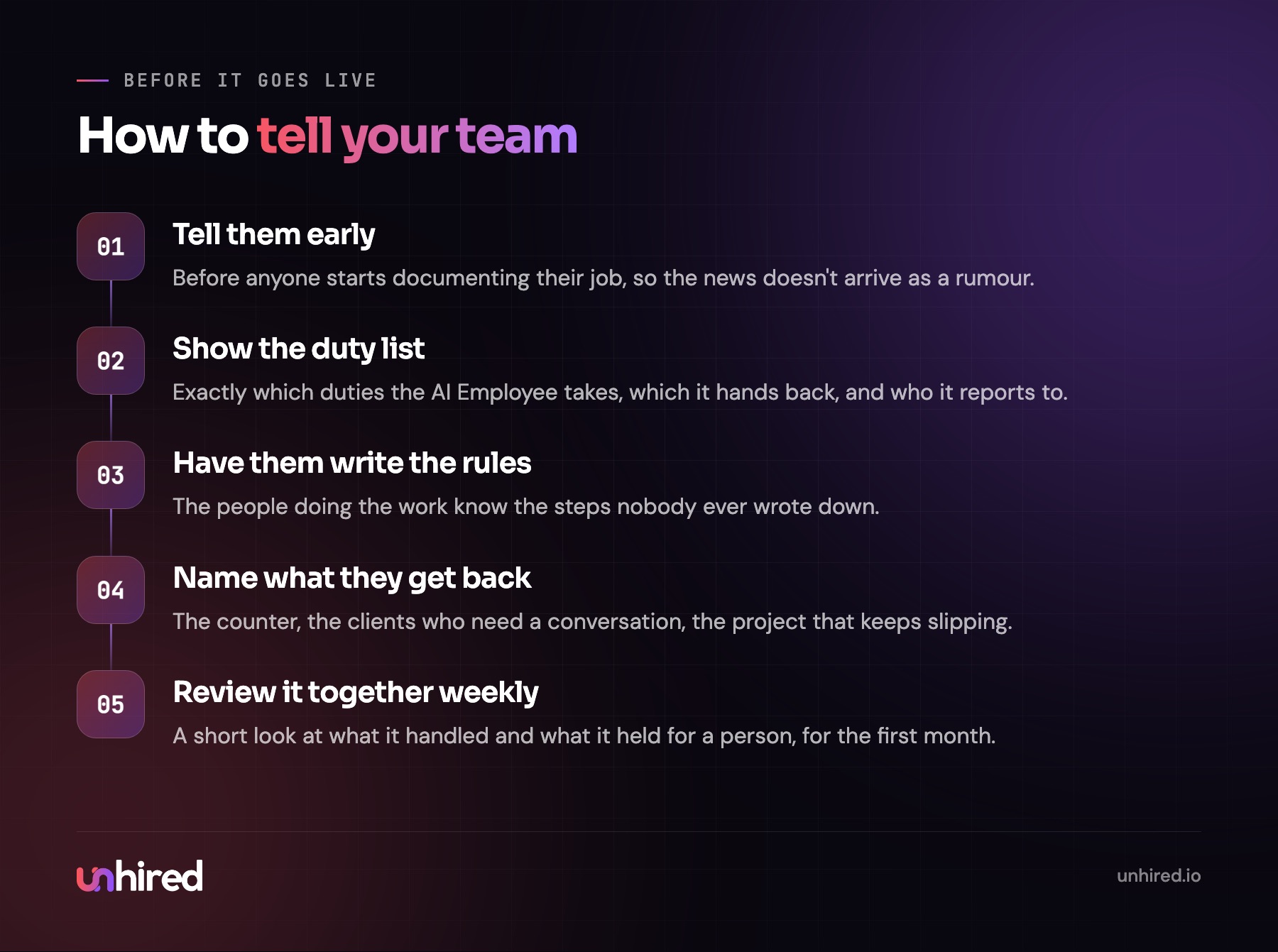
Tell them before it goes live. Show the exact list of duties it will take and the ones it will hand back to them. Say who it reports to. Then ask the people doing the work today to help write its rules, since they know the steps nobody wrote down, like which insurer always needs a callback or which client hates being texted. Name what each person gets to spend more time on, whether that's the patients at the counter or the project that keeps getting pushed to next month.
Then keep them in the loop for the first month. A short weekly look at what it handled and what it held for a person does more for trust than any speech. I wrote about that period in AI Employee onboarding: the first 30 days.
Where to start with your own team
Pick one role, ideally the one that feels most stretched. Write down every duty in it and roughly how many hours a week each takes. Mark the ones that are repeatable work through software, and the ones that need a person in the room, a judgment call or a relationship.
If the repeatable side is a few hours a week, an AI Employee probably isn't worth setting up for that role yet. If it's 20 hours or more, or it's the work that arrives after everyone goes home, it is. AI Employee assessments, such as the one offered by Unhired, can be a good place to start on that first sort.
Then decide what the freed-up hours are for before anything goes live, and tell the person whose job it is. Most of the worry about replacement comes from that step being skipped.
Wage and outlook data: US Bureau of Labor Statistics, Occupational Outlook Handbook, receptionists, May 2025 wages and 2025-2035 projections. Full-cost estimate uses the private-industry wage share in the BLS Employer Costs for Employee Compensation, June 2026. Global job forecast from the World Economic Forum, Future of Jobs Report 2025. The clinic, law firm, property manager and store are examples, not clients.