
A property manager's AI Employee answers a tenant's email at 7:15 on a Tuesday morning. The tenant wants to know when the annual unit inspection is. The AI Employee says the 14th. The inspection is on the 4th, because the schedule moved last month, and the PDF it was reading from still says the 14th. Nobody notices until the tenant replies on the 3rd, annoyed, asking why they're getting a "see you tomorrow" reminder.
That's what most AI Employee mistakes look like. Nothing dramatic, just a confident wrong answer that came from somewhere specific.
I've built AI systems and agents for businesses for four years, and the question owners ask me most before they try one is what happens when it gets something wrong. It will get something wrong. An AI Employee is a piece of software doing a job, and every job has mistakes in it. What matters is how fast the mistake gets caught, what the customer hears, and whether anyone fixes the cause.
The mistakes an AI Employee actually makes
When I trace a mistake back through the log, it almost always lands in one of four places.
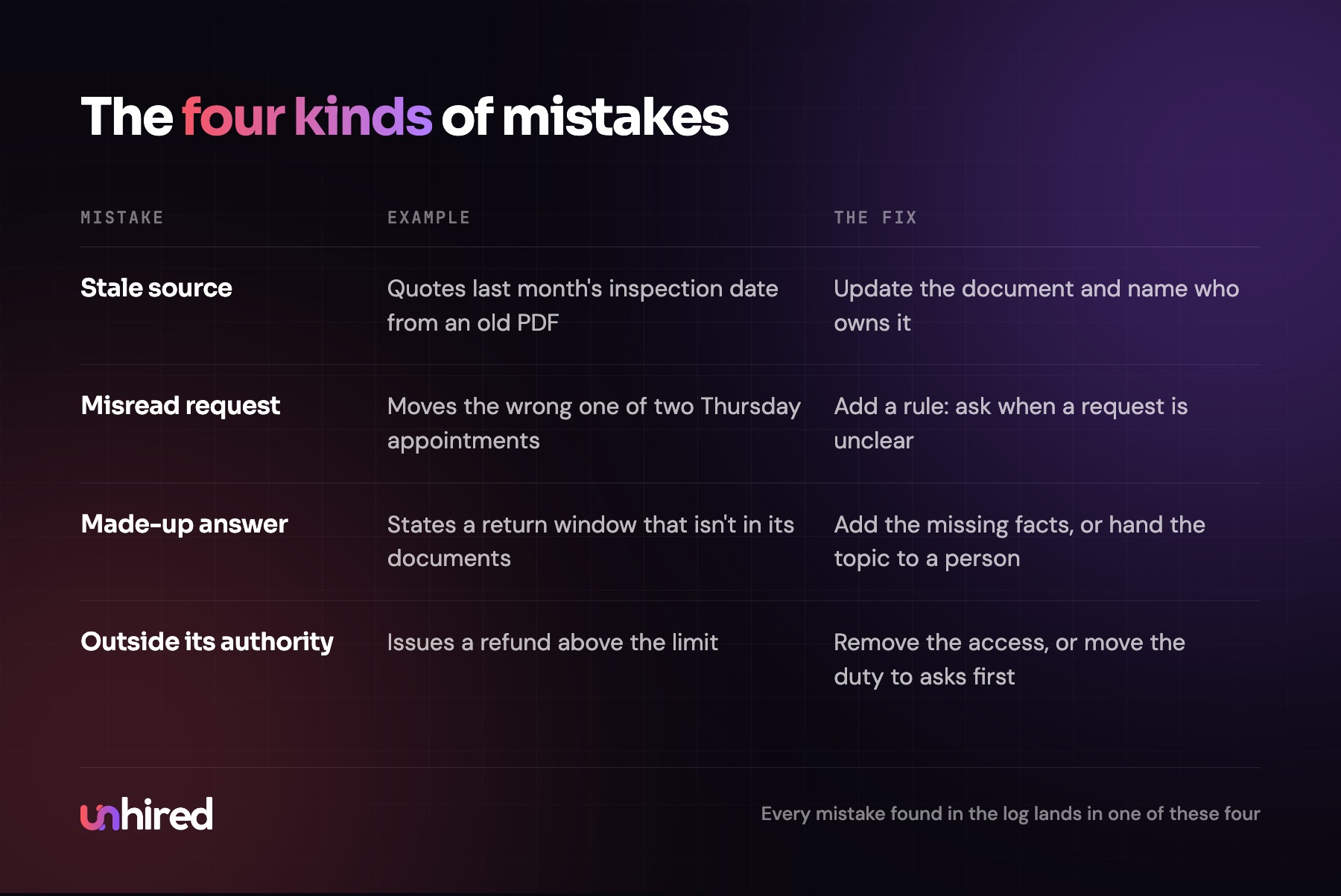
The most common is a stale source. The AI Employee read a document, a price list or a schedule that was right once and isn't any more, like the inspection PDF above. It did its job correctly with bad information.
Second is a misread request. A patient emails a clinic asking to "move my Thursday to next week," and they have two appointments on Thursday. A person at the front desk would ask which one. A poorly instructed AI Employee picks one.
Third is the one people worry about most: an answer it made up. AI models sometimes fill a gap with something that sounds right, in the same calm tone as everything else. An e-commerce AI Employee asked about a return window that isn't in its documents might state one anyway. Good instructions tell it to say "let me check with the team" when its documents don't cover the question, and that rule makes this much rarer, though I still see it now and then.
Last is a step outside its authority. It issued a refund above the limit, emailed a client directly when it was supposed to draft for approval, or promised a callback time nobody agreed to. These are almost always setup mistakes. Someone gave it access it didn't need, or the written rule was vague.
How a mistake gets caught
A good setup has several layers, and a mistake has to get past all of them before it reaches anyone.
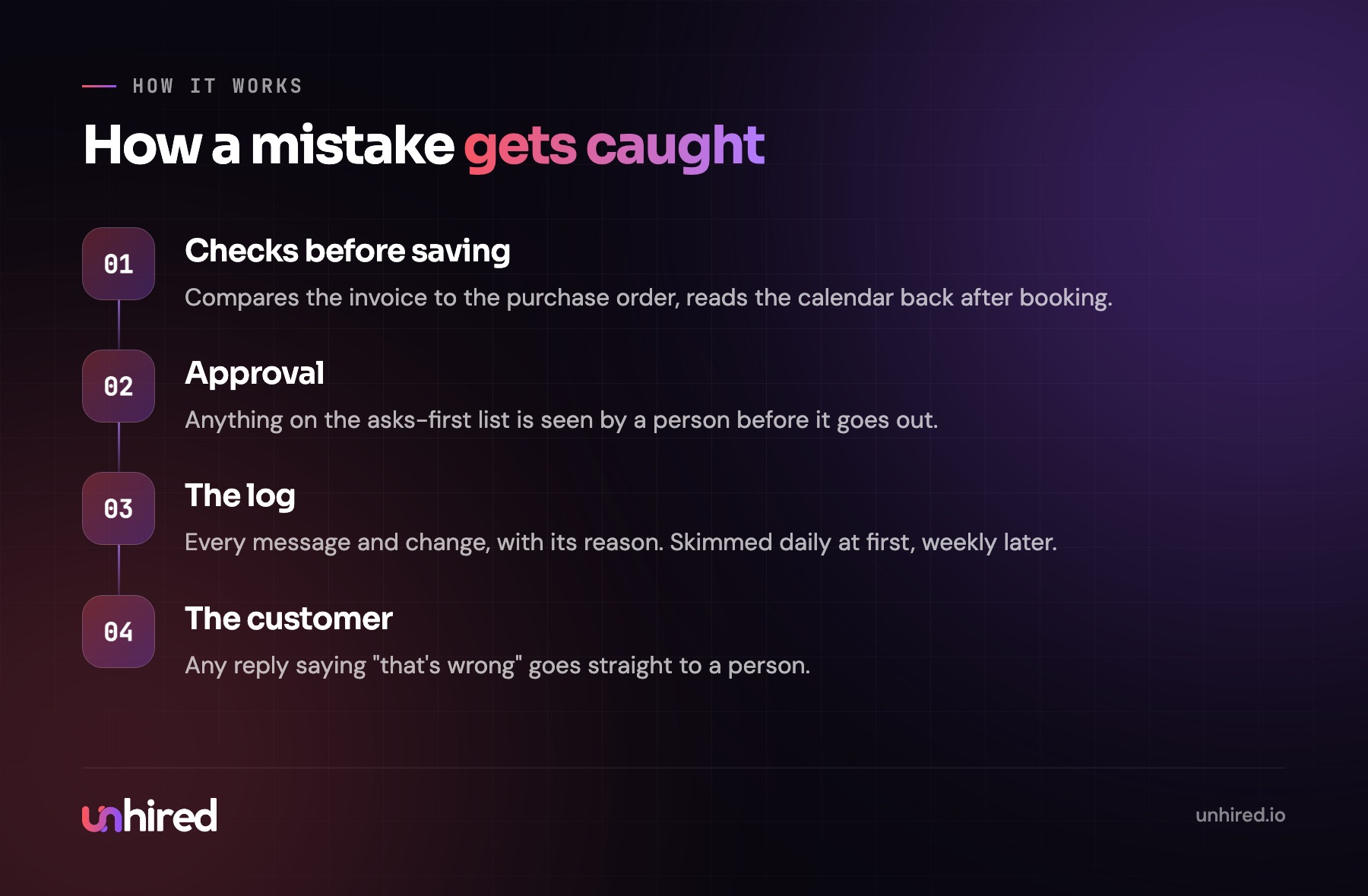
The first layer runs before anything is saved or sent. When an AI Employee enters an invoice, it should compare the total to the purchase order. When it books an appointment, it should read the calendar back to confirm the slot is really open. Most stale-source and misread mistakes die here.
Next comes approval. For anything on the "asks first" list, a person sees it before it goes out. In the first month I'd put far more on that list than seems necessary, including most customer emails, and shrink it as the log earns trust.
After that, the log. Every message, every record change and every decision the AI Employee made should be readable by a person, with the reason it gave. Someone should skim it daily at first and weekly later. I wrote about what to look for in how to measure an AI Employee's performance.
The last layer is the customer. People reply when something's off, like the tenant above. The AI Employee should be told that any reply saying "that's wrong" or "that's not what I asked" goes to a person straight away.
The first hour after a mistake is found
This is where businesses that planned ahead look very different from businesses that didn't. With a plan, the first hour is calm and mostly mechanical.
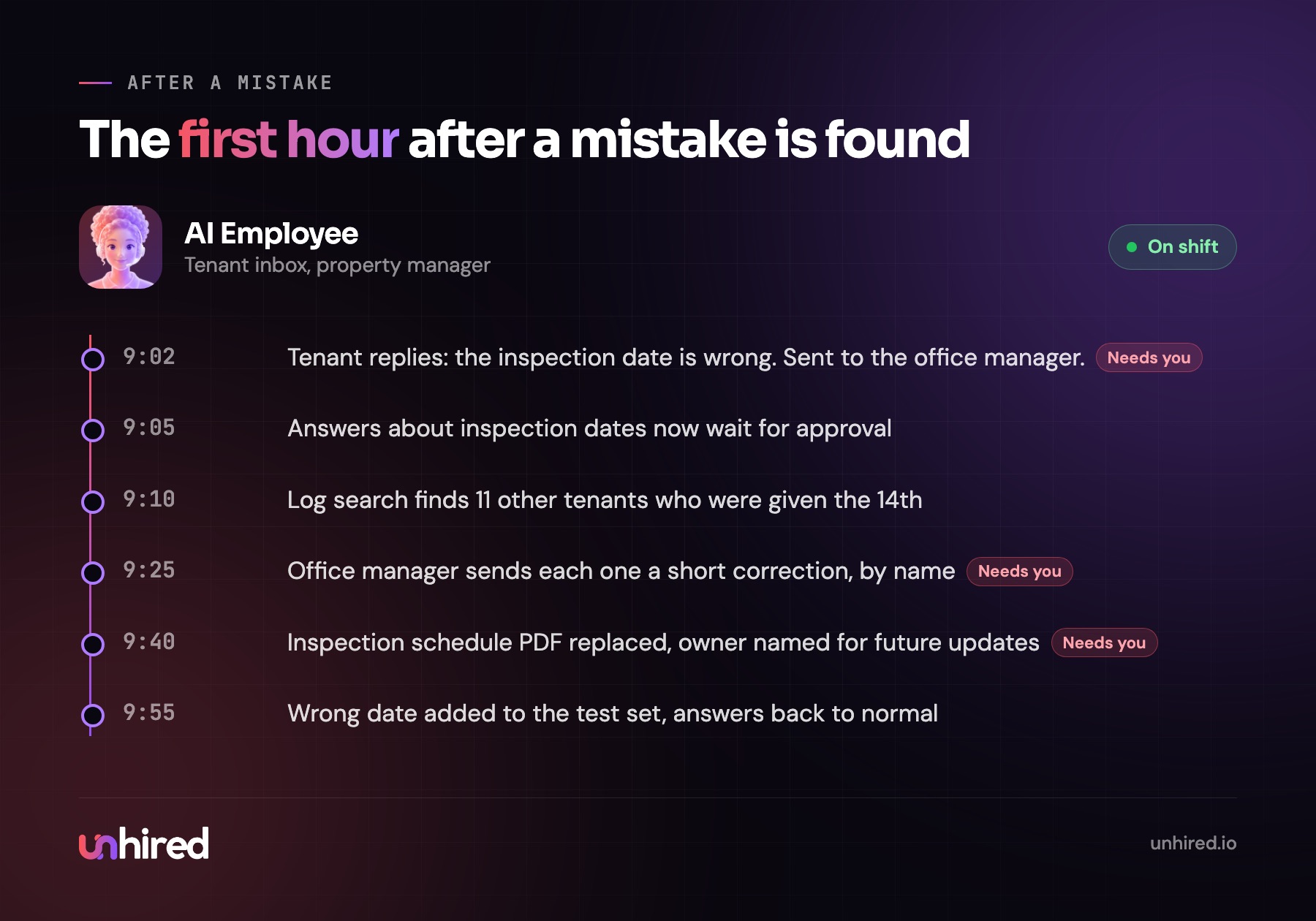
Stop the bleeding first. If the mistake came from a stale document, the AI Employee may have given the same wrong answer to other people, so pause that one topic, or have every answer on it approved by hand, until the source is fixed. You rarely need to switch the whole thing off.
Then find everyone affected. This is where the log pays for itself. A search for every message that mentioned the inspection date turns up the other tenants who got the 14th, and a person can send each of them a short correction the same morning. With a human employee, you'd be relying on their memory of who they told.
The correction should come from a person, by name. "Hi, this is Dana from the office. The assistant on our inbox gave you the wrong date. The inspection is on the 4th. Sorry for the confusion." A plain apology with the right answer is enough for nearly every customer. If the mistake cost someone money, fix that first and explain second.
Fix the record last, along with anything downstream of it: the calendar entry, the invoice, the note on the customer's file.
Who is responsible for the mistake
You are. The legal side of this is clearer than people expect. In February 2024, a Canadian tribunal ordered Air Canada to compensate a customer after the chatbot on its website described a bereavement fare refund that the airline's actual policy didn't allow. The airline argued the chatbot was responsible for its own words, and the tribunal rejected that (Fox Business coverage).
So treat anything your AI Employee says to a customer as something your business said. If you use a provider, read the contract for what they cover when their setup causes a mistake. It's also worth asking your insurance broker whether your current policy covers errors made by software acting for you. Neither changes who the customer will hold responsible.
This is the real reason the "asks first" list matters. For refunds, pay, legal or medical questions, or anything that can't be undone, a mistake costs more than an apology, so a person approves before it happens. I went through where I'd draw that line in what an AI Employee can't do.
Fixing the cause so it only happens once
When a person on staff makes a mistake, it's usually a one-off: they were rushed, or new to the job. When an AI Employee makes one, it will make the same one again tomorrow, for every customer who asks the same question, until someone fixes the cause. That sounds worse, and in the first few hours it is.
The other side is that the fix applies everywhere at once. Update the inspection schedule, and every conversation from then on has the right date. You don't need a staff meeting or a reminder email to the team.
The fix depends on which of the four kinds it was. A stale source means updating the document and deciding who owns keeping it current, which is the part that stops it recurring. A misread request means adding a line to the instructions ("if a patient has two appointments on the day they mention, ask which one"). A made-up answer means adding the missing information, or a rule to hand that topic to a person. A step outside its authority means removing the access or moving that duty to a stricter level.
Then test the change. I keep a set of past real requests for every role, including every one that ever went wrong, and run the AI Employee through all of them before any instruction change goes live. Each mistake you fix becomes a test case, so the AI Employee can't slip back into it later without someone seeing. I covered building that set in how to train an AI Employee.
Is a role safe to hand over if mistakes will happen?
Ask what a mistake in that role costs and whether it can be undone. A wrong appointment time for a salon booking is a rebooked slot and an apology. A wrong figure on a client's tax return is a different thing entirely. Most office roles are a mix, and the answer is usually to hand over the duties where mistakes are cheap and reversible and keep a person approving the rest.
If you're not sure where a particular role lands, some websites offer free assessments that check whether a role can be filled by an AI Employee and which duties should stay with a person.
What mistakes add to the cost
Catching and fixing mistakes takes a person's time. In the first month, reading the log and approving the "asks first" items can take an hour or more a day. After that, a weekly review plus the occasional correction is more typical.
Count that time whichever way you go. A business can assemble an AI Employee from software subscriptions and have someone on staff build, test and maintain it, or have a provider build and maintain it for a monthly fee. In both cases the review time and the customer corrections are yours. What drives a provider's price is mostly how many systems it connects to, how much volume it handles, and how much of the testing and fixing they do for you.
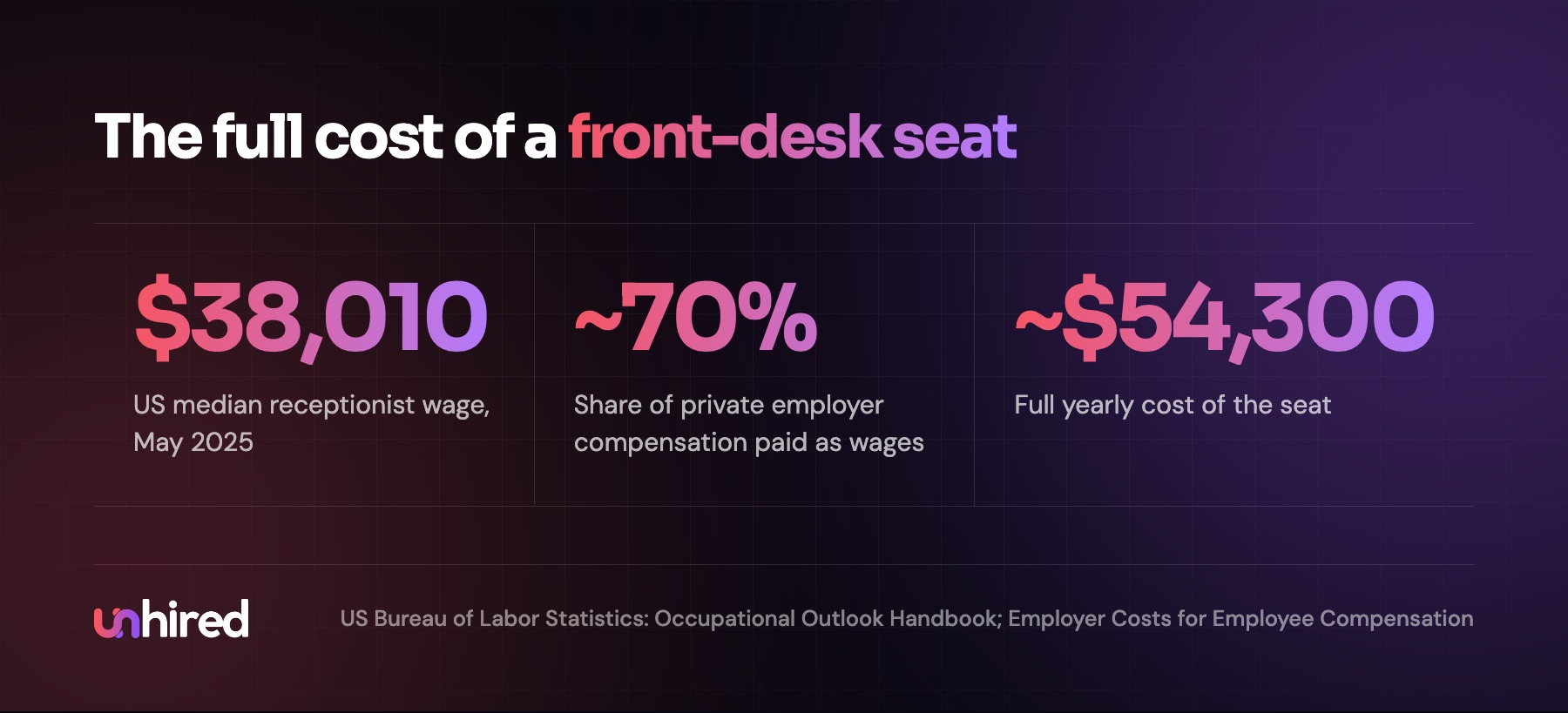
Compare the total with the seat it covers. The US median wage for a receptionist was $38,010 in May 2025 (Bureau of Labor Statistics), and wages make up about 70% of what private employers spend on compensation (BLS Employer Costs for Employee Compensation), so the full cost of that seat is closer to $54,300 a year. A person in that seat makes mistakes too, and fixing those takes someone's time as well.
Write the mistake plan before it starts
Before an AI Employee takes its first real request, write one page with four answers on it. Who reads the log, and how often? Who gets told when a customer says something is wrong, and how fast? What does the customer hear while they wait? Who is allowed to change the instructions, and how do they test the change first?
Then go through the documents it will read and put a name next to each one: the person who updates it when it changes. In my experience that list of names prevents more mistakes than anything else on the page.
Wage data: US Bureau of Labor Statistics, Occupational Outlook Handbook, receptionists, May 2025 median; the full-cost figure uses the BLS Employer Costs for Employee Compensation share of wages in total compensation. The examples in this article are illustrative.